MVP Design: What to Keep and What to Cut
Great MVP design is mostly subtraction. Here’s what to keep, what to cut, and how to ship something users trust fast.
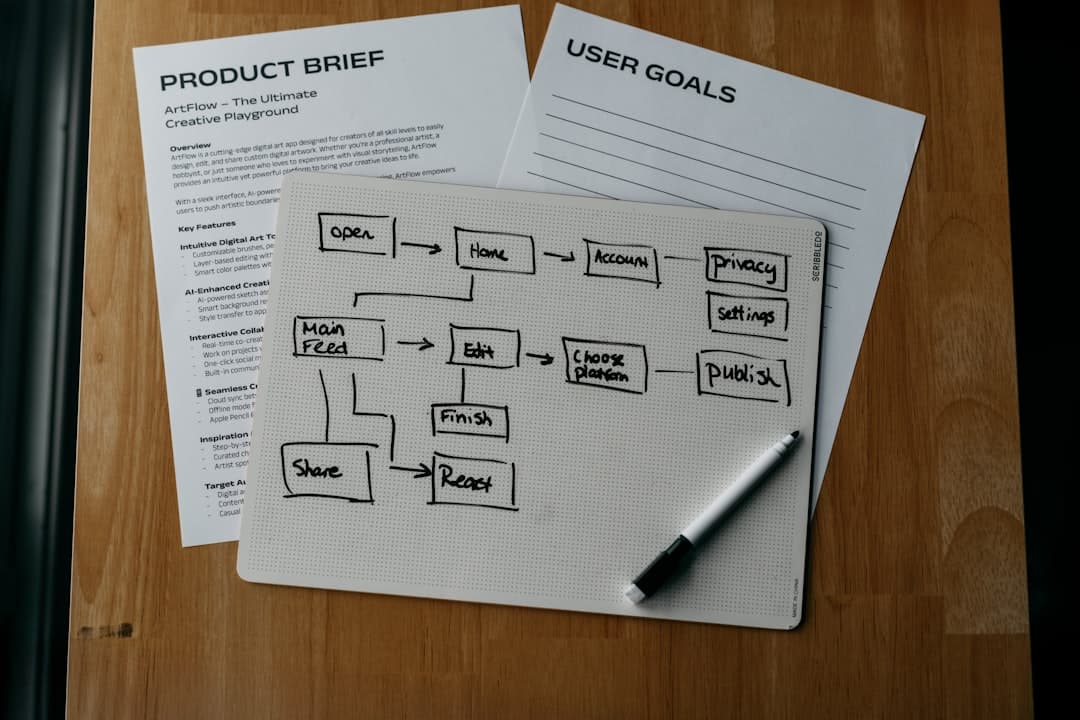
Most founders over-design their MVP and under-design the moments that actually decide whether a user stays.
That usually means polished landing pages, fancy gradients, and a dozen secondary screens — while onboarding is confusing, empty states are ignored, and the main action takes too many taps.
Good MVP design is not minimal because you are early. It is minimal because every extra screen, option, and visual flourish increases the chance that a user misses the core value.
At bytelabs, we treat MVP design as a prioritization problem, not an aesthetics exercise. The goal is simple: make the first successful user outcome feel obvious, fast, and trustworthy.
That is the bar. Not "does it look premium." Not "does it feel complete." Just: can the right user understand it, use it, and get a result without hand-holding?
MVP design should optimize for one outcome, not brand expression
If your MVP cannot answer "what is the one action this screen is pushing the user toward," the design is too loose.
Founders often assume early product design needs to communicate everything the product might become. That is backward. Early design should communicate one promise clearly enough that users can test whether they care.
We have seen this repeatedly in startup builds:
- The first version that ships fastest is usually the one with the strongest design restraint. Fewer paths means less confusion, and less confusion means better feedback.
- Users are extremely forgiving about visual polish in version one. They are not forgiving about unclear navigation or a broken first-run experience.
- A strong visual identity matters, but it matters after the product proves demand. Before that, usability beats originality almost every time.
A practical rule we use: every primary screen in an MVP should have one dominant action, one supporting action, and everything else should either be hidden or removed.
That sounds restrictive. It is supposed to be.
When we worked on mobile-first products like Uniffy, speed of understanding mattered more than showing feature depth. The decision to ship with React Native was an engineering choice, but it had a design consequence too: we could iterate quickly on the same UX across platforms instead of splitting attention across separate iOS and Android implementations.
That matters for MVP design because consistency beats platform-perfect nuance when you are still finding product-market fit.
What to design first
Design these before anything cosmetic:
- The onboarding flow should explain value through interaction, not a slideshow. If users need six intro cards to understand your product, the product is still unclear.
- The primary workflow should get a new user to one successful outcome in under 3 minutes. If it takes longer, cut steps until it does not.
- Empty states should tell users what to do next. An empty dashboard with a cute illustration is still a dead end.
- Error states should preserve confidence. If something fails, tell the user what happened, what is safe, and what to do next.
- Settings should be aggressively deprioritized. Most MVPs ship too many controls for edge cases that do not exist yet.
The best MVP interfaces feel smaller than the actual product
This is counterintuitive, but a good MVP often hides capability on purpose.
Founders worry that a smaller-looking product will feel weak. The opposite is usually true. A product that reveals too much too early feels harder, heavier, and less trustworthy.
We make this tradeoff deliberately. On AI-heavy products, especially, the temptation is to expose every knob because the underlying system is complex. That is usually the wrong move.
Take BeYourSexy.ai. The interesting backend challenge was solving the cold-start problem for users with no history, using embedding-based similarity from onboarding answers. The design implication was obvious: onboarding had to collect just enough signal to personalize results without feeling like a survey.
So the design job was not "show the intelligence." It was:
- Ask a small number of high-signal questions. More data is useless if the user abandons the flow halfway through.
- Turn those answers into an immediate personalized result. Users trust personalization when they can see it working right away.
- Avoid exposing internal system complexity. The user does not care how similarity search works; they care whether the product feels relevant.
The same principle applied on Harmony.ai, where the backend involved LLM orchestration and tool-calling chains. The cost issue was prompt token count, and caching intermediate outputs fixed a lot of it. But from a design perspective, the important move was keeping the interface focused on intent and output, not on the machinery in between.
If your AI MVP has tabs for prompts, tools, memory, contexts, templates, logs, and agents in the first release, you probably designed for the team building it, not for the customer using it.
A better pattern is this:
- Show inputs the user understands. Natural language, a short form, or a few structured choices usually win.
- Hide advanced controls behind a secondary affordance. Power users can find them later if they matter.
- Make the result inspectable without making the workflow intimidating. Confidence comes from clarity, not from exposing every system detail.
MVP design quality is mostly about flow quality, not visual polish
A clean UI helps, but flow design is what actually moves metrics.
We have seen products with average visual styling perform well because the task flow was obvious. We have also seen beautiful interfaces fail because users could not tell what to do first.
For most MVPs, I would put the design priorities in this order:
- Task clarity.
- Information hierarchy.
- Trust cues.
- Interaction feedback.
- Visual polish.
That order is not theoretical. It is how real users behave.
On real-time products, feedback timing becomes part of the design. On Surge, the platform had thousands of concurrent users and real-time data updates. The team rebuilt the data layer twice, moving from Supabase realtime to a custom Postgres plus Redis pub/sub setup because Supabase added 200ms+ latency under load.
That sounds like a backend story. It is also a design story.
When UI feedback lags, users stop trusting the product state. Buttons feel broken. Dashboards feel stale. Actions get repeated because the system does not feel responsive enough.
So if you are designing an MVP with live updates, collaborative editing, AI streaming, or any async workflow, include timing in the design spec. Do not just define what appears on screen. Define when and how state changes are revealed.
For example:
{isLoading && <StatusMessage>Generating your first result...</StatusMessage>}
{isStreaming && <LiveOutput content={partialText} />}
{isError && <RetryBanner message="Something failed. Your previous data is still safe." />}
That is basic, but it captures an important truth: perceived product quality often comes from status communication, not ornament.
The four design moments that matter most in an MVP
- The first screen should answer what this is and what to do next in under 5 seconds. If it cannot, the interface is trying to say too much.
- The first action should feel low-risk. Users hesitate when they think clicking something will waste time or create work.
- The first result should feel concrete. Abstract promises kill momentum; a visible output creates belief.
- The first failure should be recoverable. Products earn trust when they handle imperfect conditions gracefully.
What to cut from your MVP design immediately
If you need to launch fast, cut design work that does not improve comprehension, trust, or successful task completion.
That includes more than most founders want to admit.
Cut these first:
- Multiple user paths on the same screen should be removed unless they serve clearly different personas. Most MVPs do not have enough validated personas to justify that complexity.
- Deep customization should be postponed. Users do not want control before they understand value.
- Dense dashboards should be simplified to the 3-5 metrics that affect a decision. More numbers do not create more insight.
- Novel navigation patterns should be avoided. Familiar UX is an asset when you need fast adoption.
- Heavy branding explorations should be constrained to a lightweight system. One type scale, one color system, and a small component set are enough for version one.
What should stay:
- A clear type hierarchy should stay because readability is not optional. Users cannot complete flows they cannot scan.
- Strong spacing and layout consistency should stay because they make the product feel understandable even before it feels beautiful.
- Microcopy should stay because labels, placeholders, button text, and empty states often do more work than visuals.
- A basic design system should stay because it speeds product iteration. You do not need a huge component library, but you do need repeatable patterns.
A simple MVP design system can be tiny:
export const designSystem = {
  colors: {
    primary: '#111111',
    accent: '#4F46E5',
    success: '#16A34A',
    error: '#DC2626'
  },
  radius: {
    card: '12px',
    button: '10px'
  },
  spacing: [4, 8, 12, 16, 24, 32],
  type: {
    h1: '32px',
    h2: '24px',
    body: '16px',
    small: '14px'
  }
}
That is enough structure to keep the product coherent without turning design into a six-week detour.
What to Do Next
Audit your MVP in one sitting and remove anything that does not help a new user reach one successful outcome in under 3 minutes.
Do it screen by screen:
- Write the primary action for each screen in one sentence. If you cannot, the screen is doing too much.
- Count the number of choices on that screen. If there are more than 2-3 meaningful options, combine, hide, or delete some of them.
- Review the empty, loading, and error states. Those usually expose whether the product is actually usable or just visually presentable.
- Test the flow with someone who has never seen the product. If you need to explain the interface live, the design is not ready.
If you only take one step this week, redesign your onboarding and first-success flow before touching anything cosmetic. That is where MVP design wins or loses.
If you're at this stage, schedule a call with us.